'Zoom… Enhance': Why You Can't Really Upscale a Photo (and What AI Actually Does)
The detective barks 'enhance' and a blur becomes a face. It's nonsense — and the reason why is a tour through pixels, interpolation, information theory, and the AI that fakes the trick convincingly en
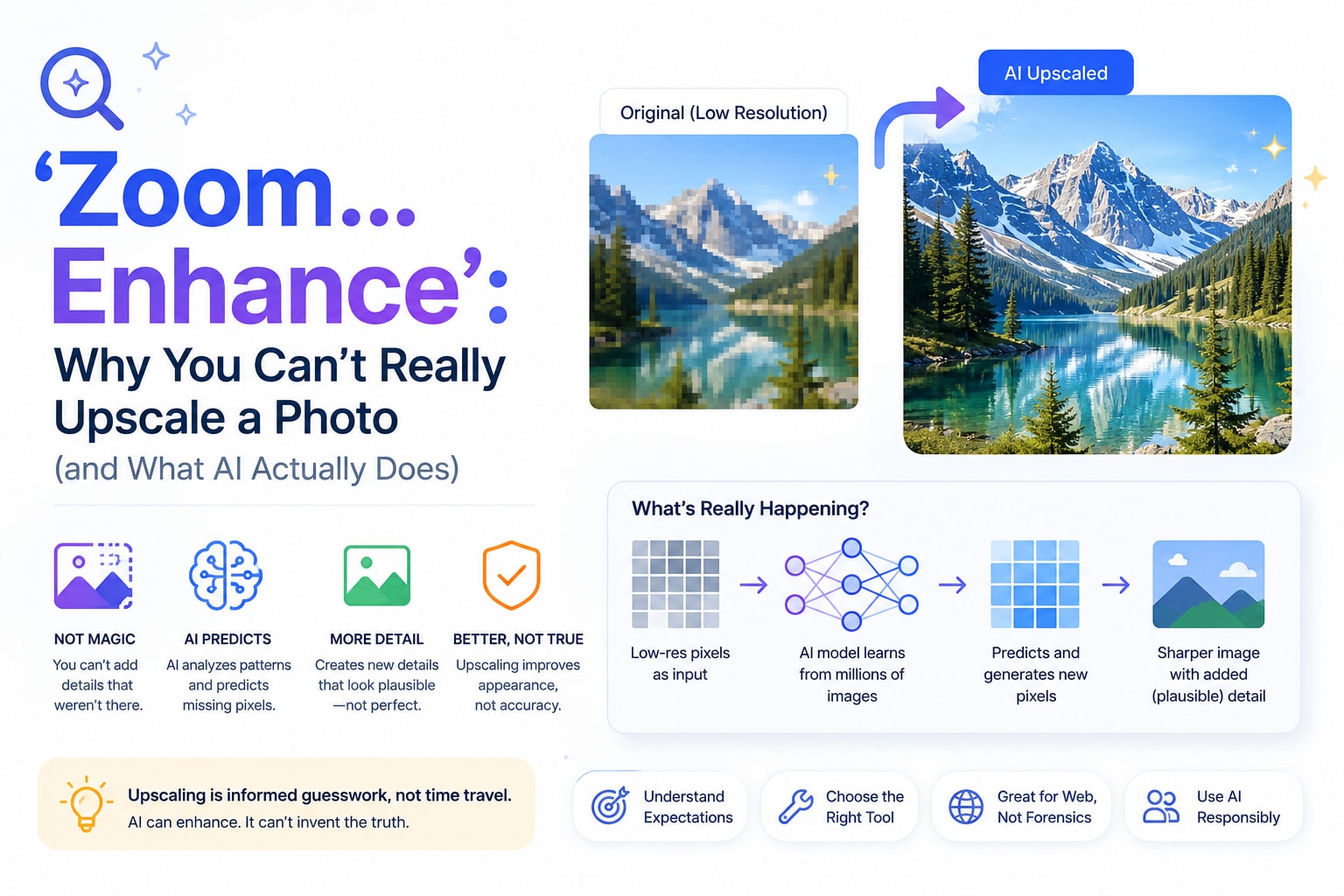
You've seen the scene a hundred times. A detective leans toward a grainy security still, jabs a finger at a blurry smudge in the corner, and barks: "Enhance." A few keystrokes later, the smear resolves into a crisp reflection of the killer's face in a car's wing mirror. It's a beloved television trick — and it is, technically speaking, complete nonsense.
The reason it's nonsense gets to the heart of something every one of us bumps into the moment we try to make an image bigger: you cannot create detail that was never there. Understanding why turns out to be a genuinely interesting tour through pixels, mathematics, and the strange new world of AI that pretends, very convincingly, to break the rule.
What "resizing" actually does to a picture
Start with the basics, because they're more surprising than they sound. A digital image is just a grid of colored squares — pixels — and its dimensions are simply how many squares wide and tall it is. A 1000×1000 image holds exactly one million color samples. That number is fixed at the moment of capture. Resizing doesn't change the scene; it changes how many squares you use to describe it.
When you make an image smaller, the job is easy and honest: you have more information than you need, so you throw some away. Done well, the result still looks sharp because you're discarding detail the smaller picture couldn't have shown anyway. This is why shrinking a photo to fit a website works so cleanly — and why a good image resizer can take a 12-megapixel phone photo down to 1080 pixels without any visible loss.
Making an image bigger is where the trouble starts. Now you're being asked to fill a 2000×2000 grid using information meant for 1000×1000. You have four million squares to color and only one million real samples to do it with. Three out of every four pixels in the enlarged image correspond to detail that simply was never recorded. The software has to make them up.
The educated guessing called interpolation
The polite name for "making up pixels" is interpolation, and it's a piece of mathematics that has been around far longer than computers. The idea is to estimate the missing values from the neighbors you do have.
The simplest method, nearest-neighbor, just copies the closest existing pixel — which is why blowing up a tiny image this way gives you those chunky, blocky squares, like a retro video game. Smarter methods like bilinear and bicubic interpolation average several surrounding pixels to guess a smooth blend, which is what your browser and most editors quietly use. Sharper still is an algorithm called Lanczos, a favorite of image software because it preserves edges better.
But notice what every one of these methods has in common: they only ever average and smooth the information already present. They cannot invent a freckle, a license-plate digit, or a strand of hair that wasn't captured. Interpolation is mathematically incapable of adding true detail. The best it can do is make the absence of detail look soft and inoffensive instead of blocky. That soft, slightly mushy quality you see when you enlarge a small photo? That's interpolation politely admitting it doesn't actually know what goes there.
There's a deep principle underneath this, borrowed from information theory: you cannot recover information that was never recorded. A blurry image isn't a clear image hiding behind a curtain; the fine detail is genuinely gone. "Enhance" can't bring it back any more than turning up the volume on a phone call can recover the words that were never spoken into the microphone.
Even shrinking has a hidden trap
It would be neat to say downscaling is always perfectly safe, but there's a subtle gotcha worth knowing. When you cram a high-resolution image into far fewer pixels, fine repeating patterns — the weave of a suit, a brick wall, a picket fence — can interfere with the new pixel grid and produce ugly shimmering ripples called moiré, or jagged stair-stepping known as aliasing.
The fix, which good resizing software applies automatically, is to gently blur the image before sampling it down, smoothing those fine patterns so they don't clash with the grid. It feels backwards — deliberately softening an image to make the smaller version look better — but it's exactly why a properly resized photo looks clean while a carelessly resized one looks noisy. The takeaway: resizing is never a purely mechanical copy; there's real signal processing happening every time.
Enter AI, which appears to cheat
Here's where the modern twist arrives. In the last few years, AI "super-resolution" tools have become astonishingly good at enlarging images, seemingly conjuring sharp detail out of blur. So did the machines finally make "zoom and enhance" real?
Not quite — and the distinction matters enormously. Traditional interpolation only looks at the pixels in your image. An AI upscaler, by contrast, has studied millions of other photographs and learned what eyes, bricks, fur and text usually look like. When it enlarges your blurry photo, it isn't recovering your lost detail — it's inventing brand-new, plausible detail based on everything it has seen before. The result often looks fantastic, because a believable guess is frequently good enough for a wallpaper or a print.
But "plausible" is not the same as "true," and that gap can be dangerous. The most famous demonstration came in 2020, when a tool called PULSE was fed a heavily pixelated photo of Barack Obama and confidently upscaled it into a sharp face — of a white man. The AI hadn't uncovered Obama's features; it had filled in the blur with the kind of face most common in its training data. It was a vivid, uncomfortable lesson: an AI upscaler doesn't reveal what was there, it generates what it expects might be there, biases and all. Which is precisely why no court would accept an "enhanced" image as evidence of someone's identity.
So AI upscaling is a wonderful aesthetic tool and a terrible forensic one. Use it to make an old photo look nicer; never trust it to tell you the truth about a detail too small to see.
The DPI myth, while we're here
One more confusion worth clearing up, because it trips up nearly everyone. People often believe a web image needs to be "300 DPI" to look good. On a screen, DPI — dots per inch — is essentially meaningless. A monitor or phone only cares about pixel dimensions: how many pixels wide and tall the image is. DPI is a printing instruction that tells a printer how tightly to pack those pixels onto paper; it does nothing on a display. For the web, "make it 1200 pixels wide" is a real instruction. "Make it 300 DPI" is not.
The one genuine wrinkle is high-density "Retina" screens, which pack extra physical pixels into the same space. To look crisp on them, an image often needs to be saved at roughly twice the dimensions it's displayed at — a 2× version. But that's still about pixel count, not DPI. So when a website asks for an image "1200 pixels wide," it means exactly that, and changing a DPI field in your editor won't make a screen image any sharper — only adding more real pixels will, and those have to come from a higher-resolution source, not from thin air.
How to resize the smart way
Pull all of this together and a simple, reliable philosophy emerges.
Always start from the highest-resolution original you have, and resize downward to the size you actually need — that direction is lossless to the eye and keeps everything sharp. Decide the final dimensions by where the image will live: a specific pixel width for a web page, or a ready-made size for a platform that expects one. Avoid enlarging a small image whenever you possibly can; if you must, accept that it will soften, and reach for an AI upscaler only when a convincing result matters more than an accurate one. And ignore DPI for anything that lives on a screen.
None of this requires expensive software or uploading your photos to a stranger's server. You can set an exact width and height, lock the aspect ratio so nothing stretches, or pick a platform preset and watch the new dimensions and file size update live, right inside your browser, with an image resizer that never sends your picture anywhere.
The real moral of "enhance"
The fictional detective's command fails for a reason that's almost poetic: a photograph is a record, not a window. It captured a finite number of light samples at one instant, and no amount of staring, zooming or button-mashing can squeeze out detail the camera never collected. Interpolation can only smooth the gaps; AI can only imagine what might fill them.
Once you really absorb that, resizing stops being a mysterious quality lottery and becomes a set of clear, confident decisions. Shrink freely. Enlarge reluctantly. Trust downscaling, question upscaling, and remember that the sharpest version of any image is the one you started with — so the smartest move is always to keep that original safe.
